

Before After Studio
Visual Progress Tracking for iOS

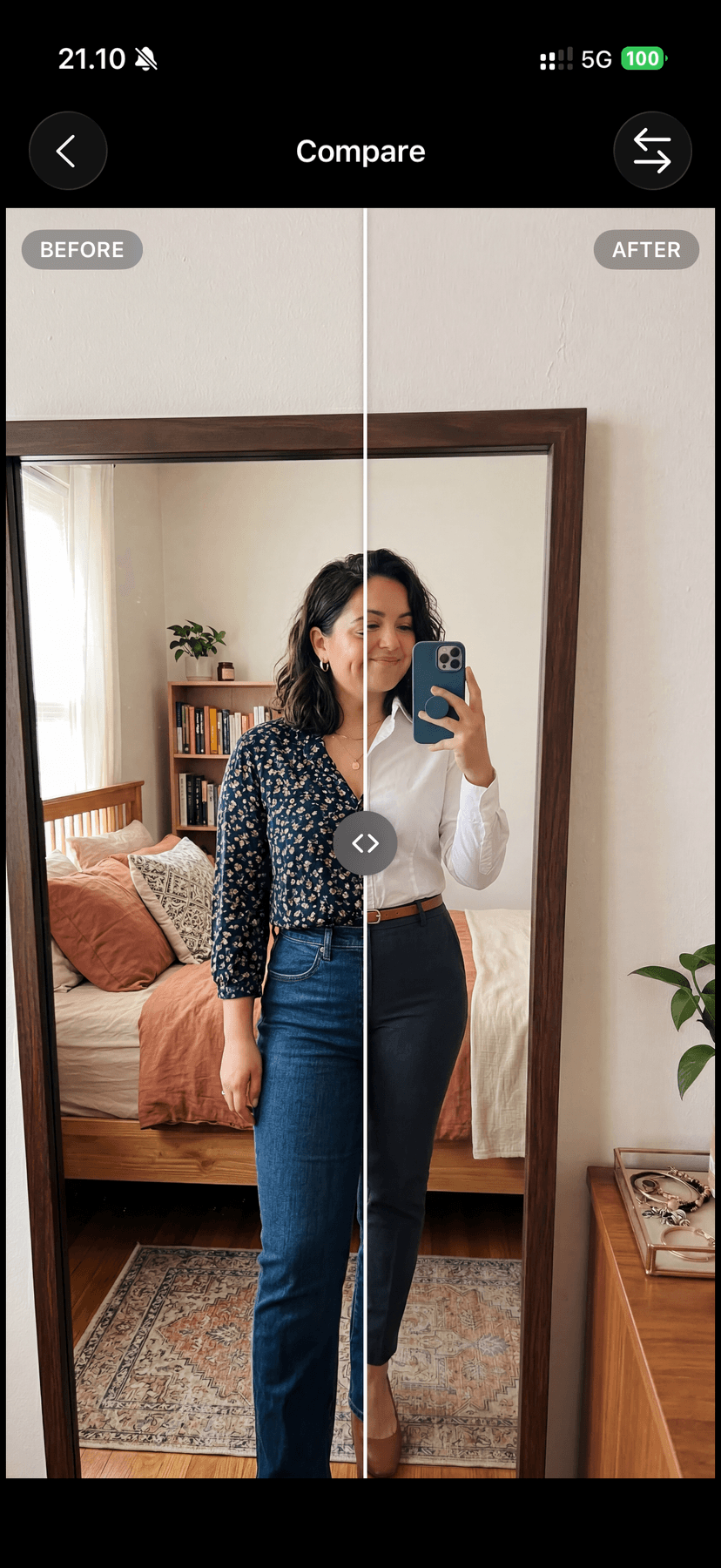
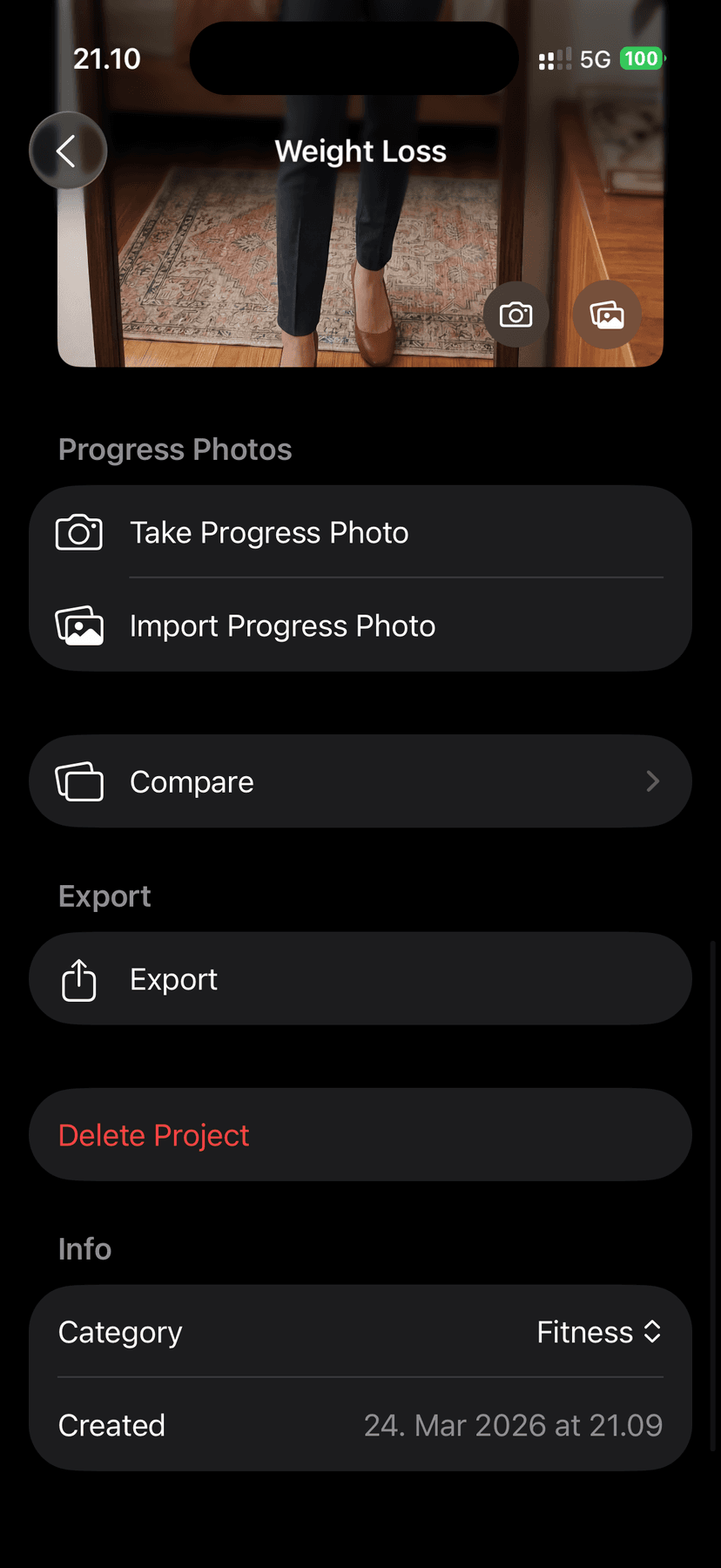
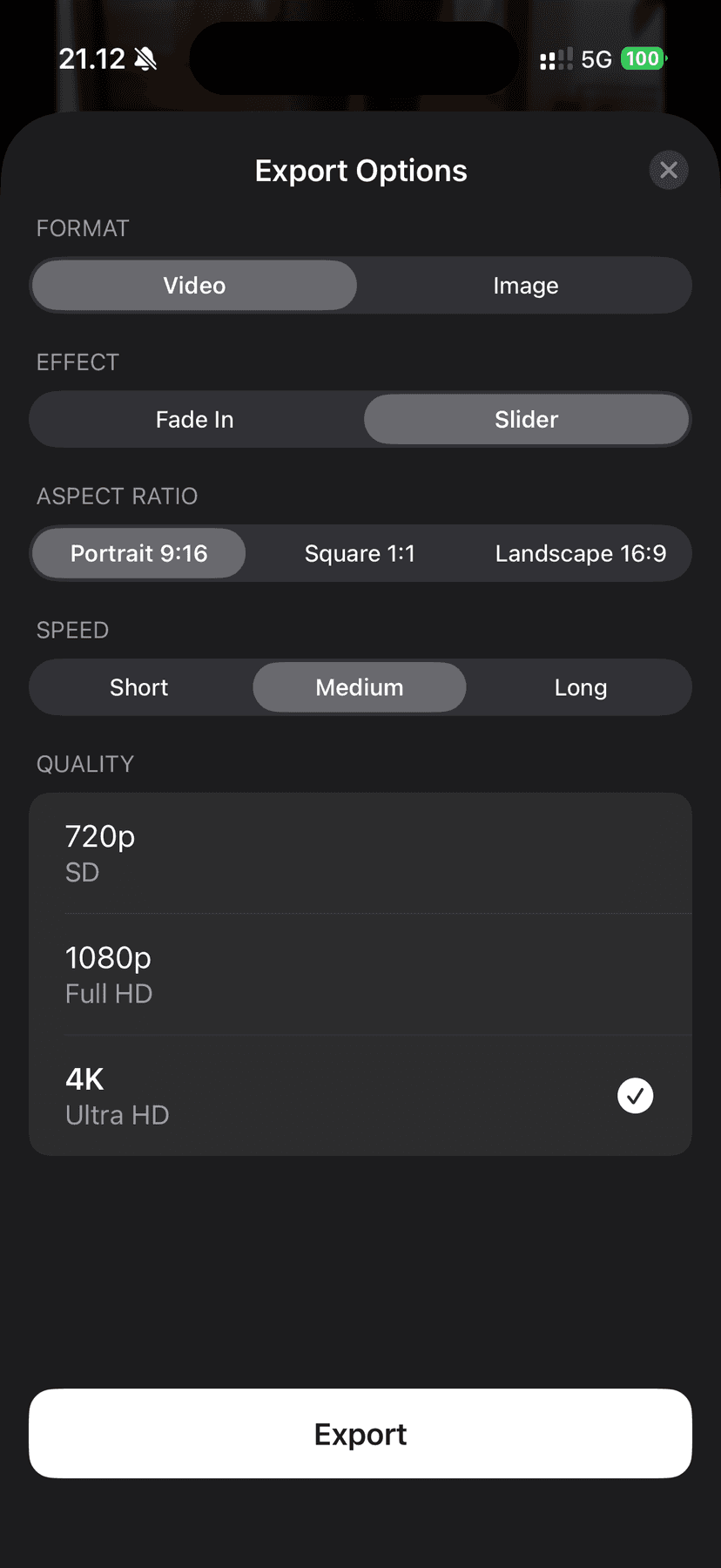
Document your transformation journey with precision
Before After Studio lets you capture, compare, and share before-and-after photos for any project — fitness progress, beauty and skincare routines, home renovation, auto restoration, content creation, and more. Snap photos with the built-in ghost overlay camera, import from your library, and compare with slider, blink, or timeline views. Export your transformations as side-by-side images or cinematic videos up to 4K.
Features
Capture with Precision
Use the built-in camera with a ghost overlay of your original shot to perfectly match angles, framing, and position every time. Adjust overlay opacity, drag to reposition, and pinch to scale for exact alignment. Switch between front and back cameras with flash control.
Track Progress Over Time
Add progress photos between your before and after shots to build a visual timeline. Scrub through your timeline to see smooth transitions across every stage of your project. Import up to 50 photos at once from your library — dates are read from photo metadata automatically.
Compare Side by Side
Use the interactive slider to reveal your before and after photos in real time. Switch to blink mode to alternate between shots and spot every difference.
Export & Share
Export videos with fade, animated slider, or full timeline effects. Export still images in side-by-side or top-and-bottom layouts. Choose from portrait (9:16), square (1:1), or landscape (16:9) aspect ratios. Adjust video speed and resolution up to 4K. Bulk export multiple projects into a single video or individual images.
Stay Organized
Categorize projects as Fitness, Beauty, Home, Auto, Creator, Other, or create your own custom categories. Search projects by name or category and set default export preferences so your favorite options are always ready.
Built for every transformation
Fitness
Track body transformations and workout progress
Beauty
Document skincare routines and cosmetic results
Home Renovation
Capture room makeovers from start to finish
Auto Restoration
Record vehicle restoration projects over time
Content Creation
Create engaging before-and-after content
Custom Projects
Define your own categories for any use case
Free & Pro
Free
- Up to 3 projects
- 720p video exports
- All comparison modes
- Ghost overlay camera
Pro
- Unlimited projects
- Full HD & 4K resolution
- Watermark-free exports
- Weekly, monthly, or annual
Payment is charged to your Apple ID account at confirmation of purchase. Subscriptions automatically renew unless canceled at least 24 hours before the end of the current period. Manage subscriptions in your App Store account settings.
Frequently asked questions
- What is Before After Studio?
- Before After Studio is a native iOS app for creating visual before-and-after photo comparisons. Capture photos with a ghost overlay camera, compare them with slider and blink modes, track progress over time, and export your transformations as images or videos up to 4K.
- Is Before After Studio free?
- Yes. Before After Studio is free with up to 3 projects and 720p exports. Upgrade to Pro for unlimited projects, Full HD and 4K resolution, and watermark-free exports. Pro is available as a weekly, monthly, or annual subscription.
- What can I use it for?
- Any visual transformation — fitness progress, skincare and beauty routines, home renovation, auto restoration, content creation, and more. You can also create custom categories for any project type.
- How does the ghost overlay camera work?
- The ghost overlay displays a semi-transparent image of your previous shot on top of the live camera feed. Adjust opacity, drag to reposition, and pinch to scale so you can perfectly match angles and framing every time.
- What export options are available?
- Export videos with fade, animated slider, or full timeline effects and still images in side-by-side or top-and-bottom layouts. Choose portrait (9:16), square (1:1), or landscape (16:9) and adjust speed and resolution up to 4K. Bulk export is also supported.
- What is included in Pro?
- Pro unlocks unlimited projects, Full HD and 4K video resolution, and watermark-free exports. Subscriptions are available as weekly, monthly, or annual plans managed through your App Store account settings.